Pick up where you left off.
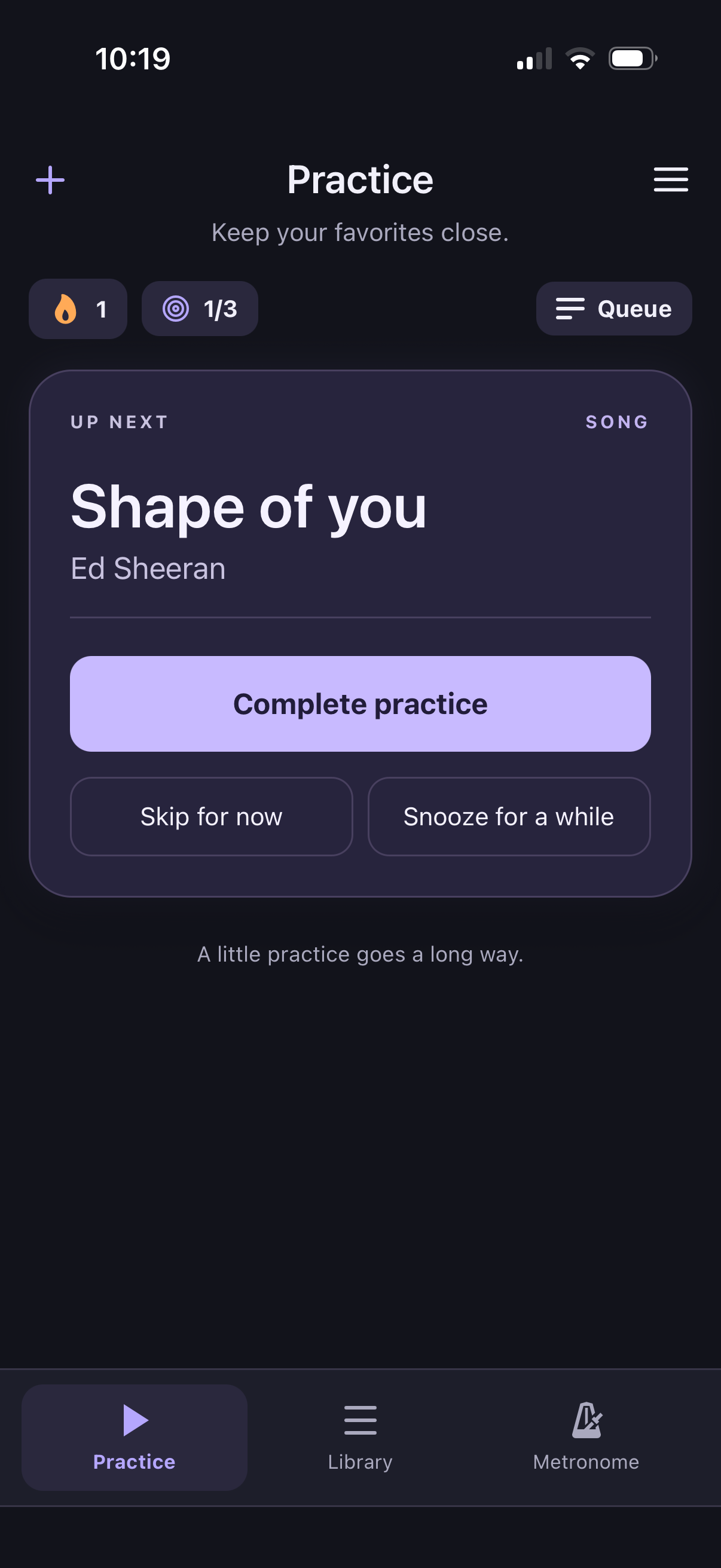
Your priority queue brings songs back into rotation, so forgotten favorites get another turn.
 SongstayGet Songstay
Your music. Ready when you are.
Pick up your guitar. Know what to play.
The songs you love deserve more than being almost remembered. Keep them close, build a practice habit, and watch your “I can play that” list grow.
14 days free. No subscription. No automatic charge.

Less “I used to know this.”
More “I can play that.”
Make room for your music
Your old favorites. The song you’re learning. That exercise you want to nail. One collection, ready whenever you are.
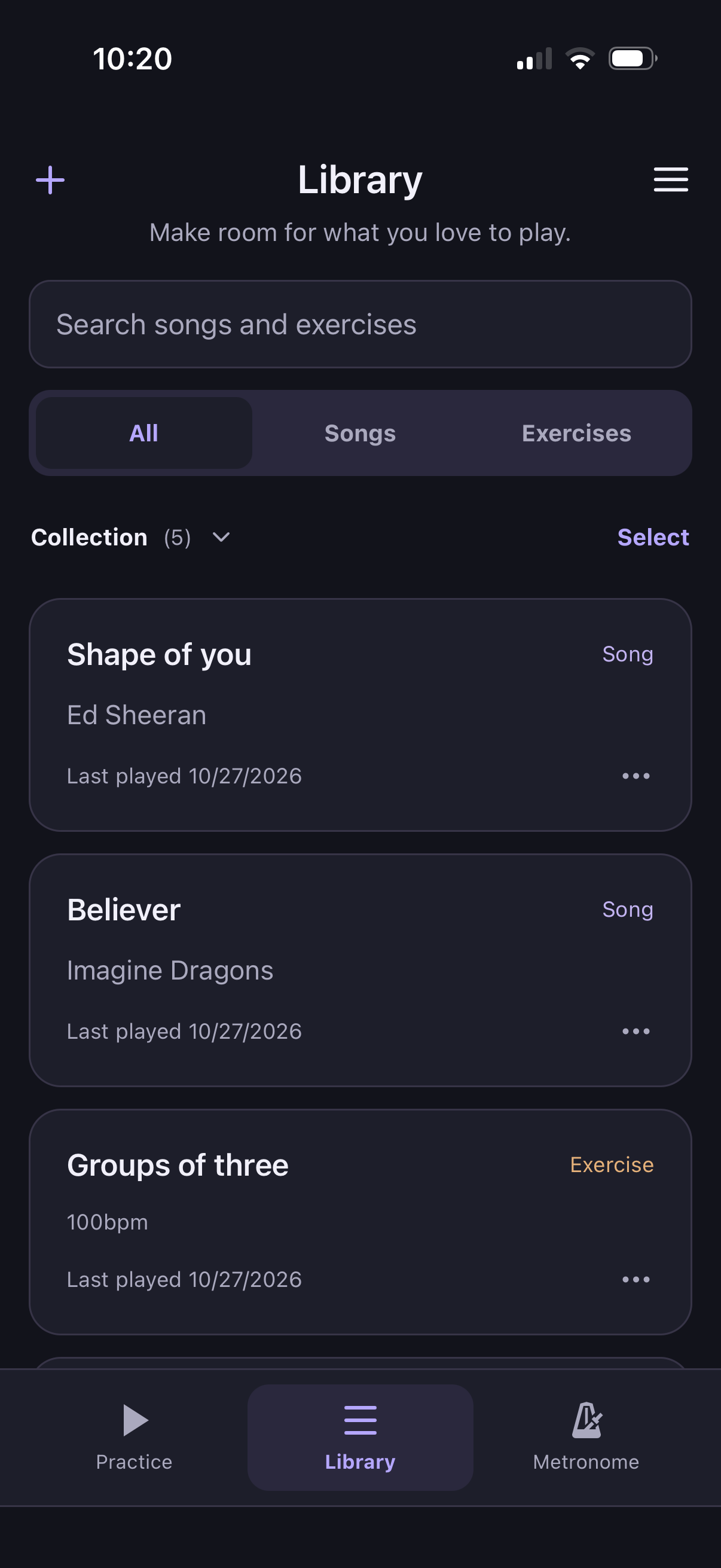
Give your songs and exercises a home. Keep notes and useful links close, and put anything you’re taking a break from on the shelf.
A rhythm that feels like you
Your priority queue brings songs back into rotation, so forgotten favorites get another turn.
Complete a practice, skip for now, or snooze for a while. You’re always in charge of what comes next.
Set your daily goal, build a streak, and look back at your practice history. Every practice counts.
Stay in time
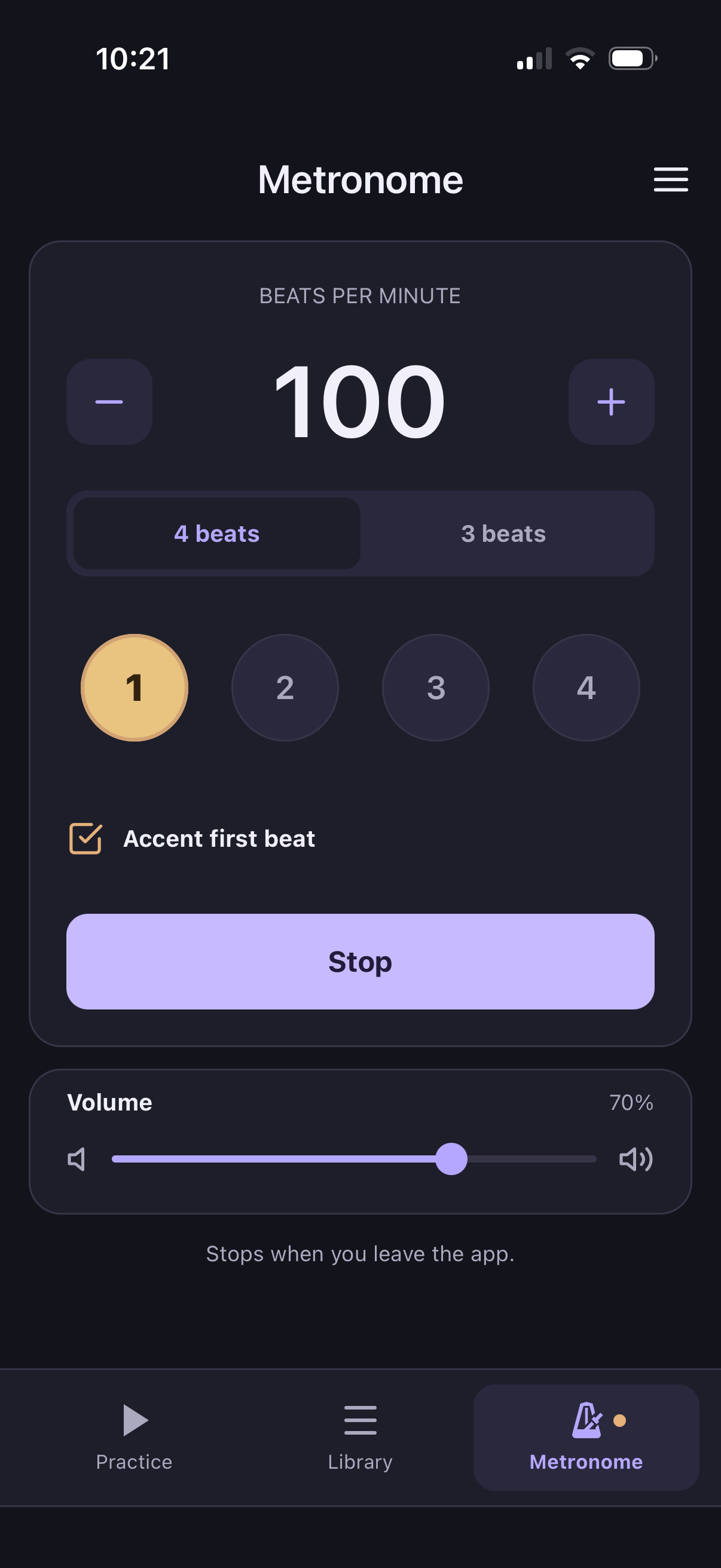
A built-in metronome keeps the beat while you focus on the music. Choose your tempo, three or four beats, and an accented first beat.
Make it part of your day
Get to know Songstay. If it feels like your kind of practice,
make it yours with a one-time lifetime purchase.
No automatic charge. You choose whether to unlock.
Local lifetime pricing is shown in the app.
A few good questions
Guitar is where it started, but your collection can include songs and exercises for any instrument.
No. Your collection lives on your iPhone. Sign in if you’d like to back up your collection and practice history to the cloud.
You bring the music. Add your own song titles, exercises, notes, and links to tabs or other references.
After 14 days, you can unlock lifetime access with a separate one-time purchase. There’s no subscription or automatic charge, and your collection isn’t deleted if you choose not to purchase.
Yes. Save a cloud backup on your old phone, then sign in and restore it on the new one. Restore your purchase separately using the Apple Account that bought it.
Keep your favorites close.
Let’s play.